
For: Very low cost, easy to use, strong documentation.
Against: Lacks a few features found in other desktop applications, weak support.
Verdict: If you can manage the support internally, and have a data classification policy this product bears looking into. We rate this product as our enterprise Best Buy for its cost, performance, ease of use, and very strong documentation.
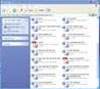
Of all the products we looked at this was the simplest to deploy. The installation is intuitive, with an easy-to-navigate interface and clearly displayed settings, policies and restriction options.
Secure2Trust comes with a set of predefined policies and uses an information classification paradigm. Administrators can create a set of classifications to match their organization's policies, with use restrictions for each level. Users apply the appropriate classification to the document that needs protecting. This is especially useful in companies that have no formal information classification policy.
There are several options for access control, including active directory, certificates, password and groups. Printing, copying and changing files can be prohibited. An optional manager and an enterprise server are available. These additional features enable you to centrally develop policies, automatically create clients, and distribute settings and data created on the manager to the clients.
Documentation is easy to read and straightforward. The solid installation guide offers clearly laid instructions for client, server and manager.
The tool's only weakness is a lack of support. If, like us, you sourced it directly from Avoco, help is available by email, with some phone support.
We would have liked a far more robust technical support infrastructure, given that this is a desktop product, likely to be used by workers who need support. However, Secure2Trust is mainly sold through resellers/systems integrators, who will usually offer their own 24/7 support.
All in all, Avoco has come up with an affordable solution to the challenges of DRM




.jpg&h=140&w=231&c=1&s=0)


.png&w=100&c=1&s=0)
 Sydney Cloud & Datacenter Convention 2026
 iTnews Executive Retreat - Security Leaders Edition
 Can Testing Keep Up? Quality in the Age of Accelerating Delivery
 iTnews Resilience, Rewired Breakfast
 RIMPA Live Convention 2026